
How to Verify a SaaS Release Before It Ships
The 3:00 a.m. Slack notification does not arrive with a polite explanation. It arrives with a customer name, a failed transaction ID, and a demand for a refund. You scroll to the logs, see a webhook timeout, and realize the checkout flow worked on staging but silently fails in production. This is the moment your release strategy stops being theoretical and starts costing you revenue. The goal is not to prevent every edge case—it is impossible—but to ensure critical paths work when real traffic hits them.
You need a structured process that validates backend logic before users notice the break. This is how you verify a SaaS release before it ships: by running automated checks against production endpoints that mimic real user journeys. You must catch failures in revenue flow and webhook delivery while you still control the deployment flag. Evidence from actual HTTP transactions beats a checklist of manual clicks every time.
Key Takeaways
The Shift: From Guesswork to Evidence for How to Verify a SaaS Release Before It Ships
What changes when the manual ritual becomes a measured one
The Old Way: Manual Guesswork
SaaS founders, indie developers, and small product teams who check by hand visit multiple dashboards, synthesize the answer themselves, and find out about failures only after customers report them.
// the manual path...
Every provider dashboard checked by hand
Answers synthesized from screenshots and memory
Failures discovered after customers report them
The New Way: PreFlight
SaaS founders, indie developers, and small product teams get one evidence-backed answer with the measurements attached. If the proof is not there, you see that too.
// you get a direct answer...
“Catch broken checkouts and webhook flows before customers do”
- Summarize the core argument that evidence-backed verification beats manual checklists for small SaaS teams.
- Describe the specific moment a founder realizes a release is broken—usually when a customer complains about a payment failure.
- Explain why browser automation alone misses backend logic like webhook delivery and server-side redirects.
- Outline four specific failure modes small teams encounter when rushing releases.
- Provide a condensed view of the most critical checks a team should run before deploying.
Evidence-Backed Verification Against invoice.payment_succeeded
Illustration generated for this article
Evidence-backed verification prevents revenue loss by catching broken payment and webhook flows before customers do. UI testing alone fails to validate critical backend paths like signature verification, server-side redirects, and async event processing. A robust pre-ship process focuses on revenue integrity, webhook reliability, and SEO health rather than superficial layout checks. Automated verification runs in minutes and produces shareable evidence that teams use to defend launch decisions. Validating against production-like data or read-only shadow modes eliminates environment parity gaps that break live traffic.
When you validate against invoice.payment_succeeded payloads, you confirm the server has processed the financial transaction correctly. This event is generated only after the provider confirms funds are reserved. Checking for this event ensures that your system is not relying on a front-end redirect alone. You must confirm that the database reflects the new entitlement state before marking the release as complete. This approach minimizes the time between code deployment and revenue verification.
The Four Handoffs of a Paid Signup
A customer accesses your product only if all four agree.
Checkout
session created
Webhook
signature verified
Entitlement
row written once
Access
customer is in
The gap nobody asserts: webhook delivered ≠ entitlement written
PreFlight records each handoff separately, so the failing one is named — not guessed.
Quantifying Revenue Loss from HTTP 401 Unauthorized Errors
The cost of a broken release is not measured in minutes of downtime but in trust and revenue you cannot recover. When a customer cannot complete a purchase, they do not usually blame the database latency. They blame your product. This leads to immediate refunds, support tickets, and churn. For small teams, losing a single high-value customer can skew your metrics for a quarter. If you calculate a monthly recurring revenue (MRR) of $10,000 and a customer churns due to a broken billing link, you lose approximately $120,000 in lifetime value depending on your retention rate.
Consider a broken payment checkout caused by a change to your pricing model in production. The UI loads correctly, but the price_id passed to the payment API does not match the active plan. The session fails silently. The user returns home and abandons the cart. The support team spends hours digging through logs while the revenue is already gone. This is the tangible cost of skipping a real verification pass.
You must treat every release as a high-risk operation. Small teams often assume their staging environment is identical to production. It rarely is. API keys differ, third-party rate limits are lower, and SSL certificates may have different validation rules. If you ship without testing these specific variables, you risk a scenario where the application runs but the business logic breaks. This is the gap that causes preventable churn. When your server rejects a request with a HTTP 401 Unauthorized response due to a misconfigured API key, the user experience is immediate abandonment.
Furthermore, a HTTP 401 Unauthorized error often indicates authentication state failures that are hard to trace. If your system expects a Bearer token in the Authorization header but the client sends a cookie instead, the backend rejects the handshake. You may see this reflected as a WWW-Authenticate header mismatch. Automated checks can detect this header configuration immediately. Without them, you rely on customer complaints to identify that your authentication flow is breaking silently.
What a Repeatable Process Actually Buys
Three outcomes a manual pass cannot produce
Caught Before Customers
Catch broken checkouts and webhook flows before customers do
Evidence, Not Checklists
Evidence-backed launch decisions in minutes, not checklists
Right-Sized Monitoring
Zero-config monitoring sized for small teams
Validating noindex Meta Tags and Sitemap Health
Browser automation confirms the user can click a button. It does not confirm the button processed a payment. Real verification targets the backend paths where money and data change hands. Most teams rely on visual regression testing to see if a page loaded correctly. This is necessary but insufficient. You must validate the API endpoints that handle authentication, billing, and state changes.
The most common failure mode in these releases is a missing HTTP 200 OK response on a critical API endpoint. A user clicks "Submit," the UI shows a spinner, and then nothing happens. The server rejected the request due to a malformed header or a signature mismatch. Without checking the raw network traffic, your team will waste hours debugging the frontend when the error lies in the payload validation.
You need to validate the entire transaction lifecycle, not just the entry point. This includes server-side redirects, CORS headers, and the processing of asynchronous events. If your application relies on a third-party service to grant a license key or grant access after a payment, you must verify that handshake works. Relying on the UI to indicate success is a fragile strategy that fails under real load.
Search engines and payment providers rely on your infrastructure's behavior to determine if you are safe or compliant. When your infrastructure deviates from expected standards, traffic drops and conversions stall. You must verify that the technical configuration matches the content. Changes to routing or canonical tags can silently drop organic traffic. Developers often focus on functional requirements and forget search engines crawl the same URL structure. If you accidentally change a canonical tag or introduce a HTTP 404 Not Found on a landing page, Google removes it from results. This impact may take days to become visible in analytics.
Follow best practices for web performance and indexing found in Google Search Central documentation Google Search Central. Ensure your robots.txt does not block resources required for rendering. If you add a noindex header to a public landing page during a CMS update, your SEO visibility can significantly reduce visibility. This is why automated verification must include checking for unexpected headers on public routes.
Resolving HTTP 200 OK Discrepancies Between Staging and Production
Small teams face the same risks as enterprise teams when rushing releases. The difference is in the tools and the margin for error. You do not have armies of QA engineers to find every bug. You rely on automated checks. Understanding where these checks fail is critical for maintaining reliability.
Mistake #1: Relying Only on Staging Environments
You assume staging is a mirror of production. It is not. API keys often differ, meaning a test transaction succeeds when a live one fails. Rate limits are often higher in staging, hiding performance bottlenecks. You might miss critical configuration gaps that break the application once the release hits live traffic.
Solution: Validate critical paths against production-like data or a read-only shadow mode. Use a staging account with real billing configurations where possible. If you cannot run live tests, ensure your test fixtures mirror production schemas exactly. This prevents failures where the application logic relies on fields that exist in production but not in test data. Always check that CORS headers in production allow only your trusted origin, unlike the wildcard often used in staging MDN HTTP Headers.
Mistake #2: Ignoring Post-Redirect Webhooks
Payment and login providers send events asynchronously after a redirect. Your application might finish the session before the webhook arrives. If you mark a user as active immediately upon redirect, and the webhook fails later, you have a system state mismatch. This is common in OAuth and checkout flows.
Solution: Add a delay check to verify the target endpoint receives the payload within 5 seconds of a test transaction. Do not trust the redirect alone. Build a monitoring script that checks the database state after a webhook is expected to fire. This ensures your internal data reflects the actual status reported by the provider.
Mistake #4: Manual Spot Checks That Don't Scale
Human error is the highest risk in manual spot checks. One person clicks through the checkout flow, but their test session has specific cached cookies. Another engineer tests a different browser. You cannot replicate every environment manually. When you ship without automated confirmation, you depend on luck that your test cases covered the failure mode.
Solution: Automate these clicks into a repeatable script or visual regression test that logs every input and output. If a check fails, you must fix it before deploy. This is the core of testing a SaaS release before launch with confidence. You must replace human intuition with deterministic checks that run the same way every time. Adhering to OWASP API Security standards can help structure these automated checks to cover the top attack vectors OWASP API Security.
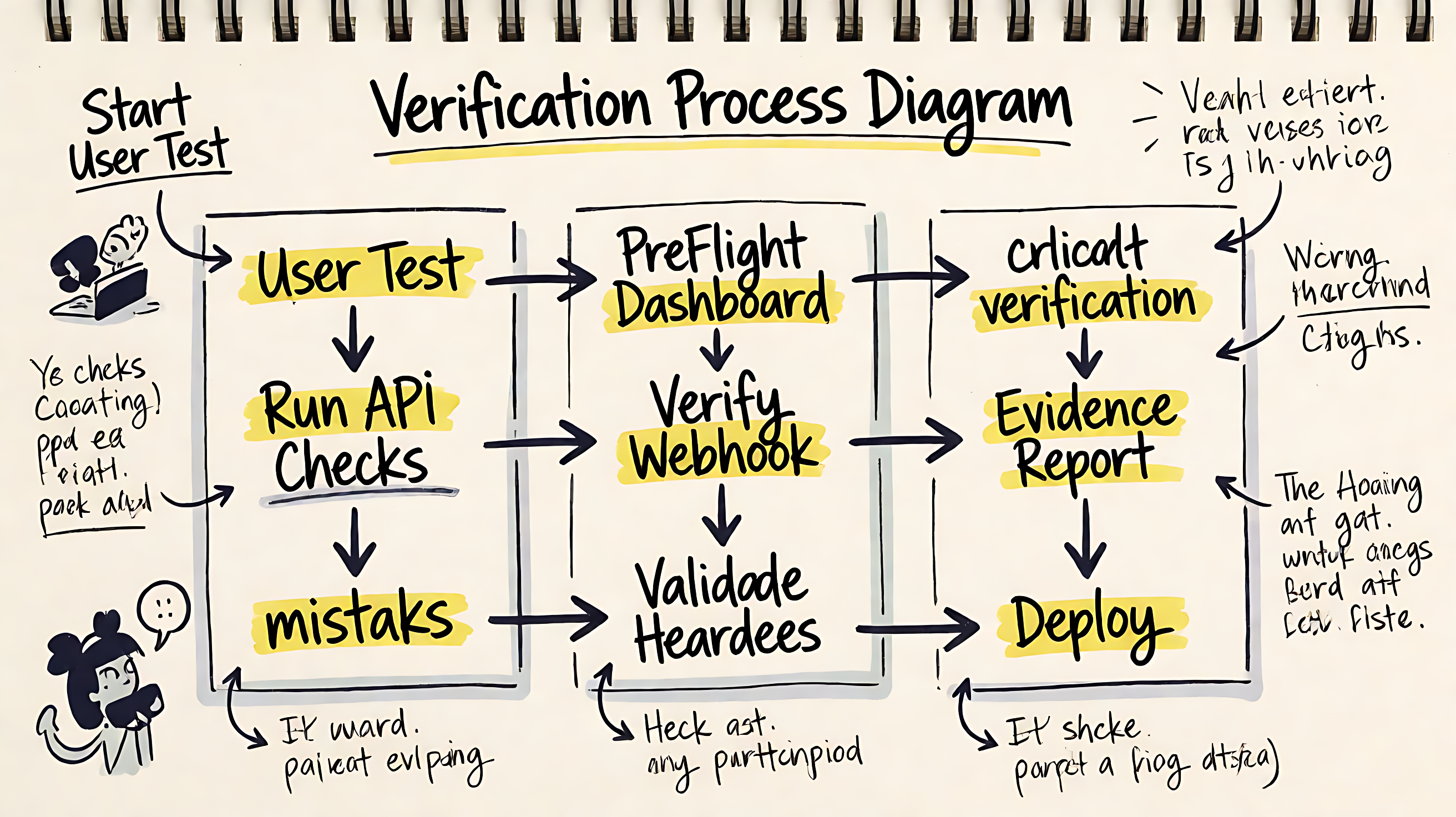
Illustration generated for this article
Launch Evidence Trail
sample run · timestamped per handoff
Every handoff leaves a receipt — failed, fixed, and verified stay side by side.
WARN owner: @you · expected fix: idempotency key on the fulfillment write
getpreflight.dev
Quick Reference: WWW-Authenticate Header Checks
| Check Type | What It Validates | Failure Signal |
|---|---|---|
| Revenue Flow Integrity | Payment provider returns correct webhook signatures | HTTP 401 Unauthorized or invalid HMAC header |
| Webhook Reliability | Handler returns HTTP 200 OK within timeout limits | HTTP 408 Timeout or HTTP 429 Too Many Requests |
| SEO Health | Landing pages return HTTP 200 OK with correct meta tags | HTTP 404 Not Found or index-blocking noindex header |
| Authentication Flow | Login redirects work without breaking session cookies | HTTP 301 Redirect loops or failed session validation |
| API Consistency | Core endpoints respond with expected JSON schema | Missing fields or HTTP 500 Internal Server Error |
How Launch Evidence Reaches Your Decision
Provider state on one side, your database on the other
Provider Dashboards
Each integration reports its own health in its own vocabulary — and none of them can see your fulfillment write.
PARTIAL VIEW
PreFlight
One Evidence Trail
Evidence-backed launch decisions in minutes, not checklists
RECORDED & COMPARABLE
Key Insight: Zero-config monitoring sized for small teams
Checklist: Verifying HTTP 200 OK Before Clicking Deploy
✔️ Verify that your webhook handler returns HTTP 200 OK for a test event within 30 seconds.
✔️ Confirm that your checkout flow completes a live transaction and matches the payment_intent.succeeded event.
✔️ Scan your sitemap to ensure key pages return HTTP 200 OK and have the correct canonical URL.
✔️ Check that authentication redirects persist user sessions across domain changes.
✔️ Validate that your logging system captures all HTTP errors above 400 for the release.
How Dashboard Automates Evidence Trail Verification
Manual verification creates records that are hard to defend during a post-mortem. You need a system that captures the evidence automatically. This workflow automates the process by running health, security, SEO, and revenue-flow checks against your production workflows. It connects to your providers and runs the checks without requiring extra configuration in your codebase.
To begin, navigate to the dashboard and select "New Verification Run." Do not use any command line tools, as the platform operates entirely within the web interface. You enter your domain and provider keys in the secure settings panel. This ensures your credentials are not stored in repository files. Once the connection is validated, you select the specific flows you want to audit.
The system executes requests against your live endpoints using read-only shadow modes where applicable. It does not write data or change user states during this scan. It collects the headers, response codes, and timing metrics to build a comprehensive picture of your deployment status. When the checks complete, the system generates a shareable evidence report. This document proves which paths were verified and what status codes were received. You use this to confirm the launch decision. If a failure occurs later, you have the baseline data to compare against. This shifts your process from guessing to verifying.
You start by connecting your provider through the dashboard. Once the link is active, you select the critical paths you want to verify. The system runs the checks against the live environment. You read the evidence on the screen. If everything passes, you deploy with confidence. This approach ensures your process includes the proof you need to protect your revenue.

Illustration generated for this article
Move From Reading About How to Verify a SaaS Release Before It Ships to Proving It
Run PreFlight against the real workflow and turn this article's advice into measured, defensible evidence.
Frequently Asked Questions About HTTP 200 OK
How to test a SaaS release before launch?
Run a structured verification pass that checks critical backend flows like payments and webhooks, not just UI screens. Use automated tools to validate that your server returns correct responses and that external services deliver expected events before you enable the new code for all users. Focus on the headers returned during the transaction to catch mismatched signatures early.
What should be in a pre-deployment checklist for SaaS?
Include checks for revenue integrity, authentication stability, and SEO health. Ensure your payment provider returns correct webhook signatures, your sessions persist across deploys, and your landing pages still return HTTP 200 OK with correct meta tags. Use the checklist in the dashboard to track these items before you deploy.
Can you verify a release without breaking production?
Yes, by using read-only checks or shadow traffic before full rollout. You can validate that your code paths work and return expected data without actually processing real customer payments or modifying live data. Our tool defaults to read-only modes for most checks to ensure safety.
How do I know if my webhooks are working after a release?
Monitor your logs for incoming webhook events and verify that your handler returns a HTTP 200 OK status. If you see retries or timeouts, check that your endpoint is accepting the correct signatures and is not rate-limited. Use the verification report to compare expected response times with actual performance.
What happens if SEO breaks after deploying?
Search engines may drop pages from results if they return HTTP 404 Not Found errors or block indexing. Use tools to monitor page status and content hash to catch changes that remove your meta tags or change your URL structure unexpectedly. Ensure your robots.txt allows crawlers to access your primary content.
How long does a pre-ship verification take?
For small teams, an automated pass takes under 15 minutes. Manual spot checks can take hours, but they are often incomplete compared to running defined verification tasks that log every result automatically. The dashboard streamlines this process to fit within a standard release window.
Revenue Flow Integrity
Your billing provider is the truth source for whether a sale actually happened. You cannot assume a completed checkout screen means money cleared. You must verify the webhook events that confirm financial state changes. When a customer pays, the provider sends an invoice.payment_succeeded event. If your system misses this event, the customer never gets access to the product.
Verify the signature attached to these webhook events to prevent spoofing. The provider signs the payload with an HMAC SHA256 signature that you must validate against your secret key. You can find details on verifying these payloads in the provider documentation Webhook Signatures. If your application accepts unverified webhooks, anyone can fabricate a successful payment request and grant themselves access.
This process requires testing the handler code that consumes these events. In staging, these events often run in test mode. In production, you must handle the real events correctly. If your code ignores the customer.subscription.updated event, you might fail to upgrade a user or revoke their access when they cancel. Ensure your webhook handler logs every event ID to prevent duplicate processing during failures.
// Example webhook signature verification (Node.js)
const crypto = require('crypto');

function verifyWebhook(payload, signature, secret) {
  const expectedSignature = crypto
    .createHmac('sha256', secret)
    .update(payload)
    .digest('hex');
  return crypto.timingSafeEqual(
    Buffer.from(signature),
    Buffer.from(expectedSignature)
  );
}
Webhook Reliability
External services notify your backend of state changes via HTTP callbacks. These connections fail more often than you expect due to network latency, rate limits, or SSL issues. You must verify that your endpoints accept these notifications with the correct headers. If your endpoint returns a HTTP 4xx client error or times out, the sending service will retry. Eventually, it will drop the event.
Common error strings indicate delivery failure during a release. A HTTP 408 Request Timeout suggests your handler took too long to respond. A HTTP 429 Too Many Requests indicates you hit a rate limit on your own infrastructure. A HTTP 500 Internal Server Error means your code crashed before processing the payload. You should monitor your logs for these specific codes immediately after deployment.
You also need to verify that your application handles retries correctly. Most providers use exponential backoff. If your handler returns HTTP 200 OK for duplicate events because of a retry, you might charge the customer twice. You must use idempotency keys or check event IDs against your database before applying changes. This logic often breaks when developers copy-paste handlers without adjusting for production security constraints.